macOS

What Does Your Week Look Like?

One small change can make your calendar much more helpful

Your calendar is one of the most important productivity tools that you have, showing you a map of your productivity landscape. Are you using a folding map or a GPS to find you way?


4:25 read (886 words)

Focus on the Internet You Need with a Dedicated Browser

Increase Your Focus and Productivity By Accessing Only the Internet You Need

Web apps are useful, but they can open you up to a universe of distractions. Load just the Internet that you need with a custom desktop app.

3:05 read (618 words)

7 TextExpander Macros to Increase Your Typing Efficiency

Make every keystroke count

One of the best things you can do to increase your productivity at the computer is to use macro software like TextExpander. Here are 7 ideas to get you started.

5:00 read (993 words)

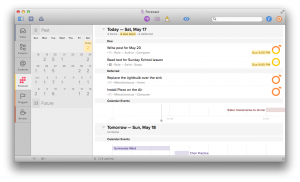
The Forecast View in OmniFocus 2 for OS X

Because you don’t do everything at once

The Forecast view lets you schedule tasks and see when you’re overbooked. OmniFocus 2 for OS X brings this powerful tool to the Mac.

2:55 read (585 words)

An OmniFocus Create Task Bookmarklet

Create a task with the current URL

I often find myself needing to come back to a page later. I used to just leave the page open in another tab, but that can quickly get out of hand. Then I tried adding the pages to Pocket, but they would get lost with the articles I just wanted to read later. I wanted […]

2:40 read (533 words)

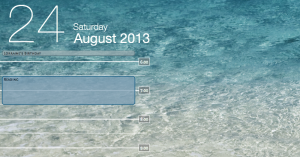
How to Put Today’s Schedule on the Desktop

Bring paper-planner visibility to your Mac

Putting your calendar on the desktop is a useful and unobtrusive way of staying on top of your schedule.

3:20 read (674 words)